Your entire CMS
in one file.
Content, media, schema, users — all in a single POD. One SQLite file. Copy it anywhere. No database server. No cloud account. Built for Astro.
How it works
Your entire CMS lives next to your source code — in one file.
├── astro.config.mjs
npm install @a83/orbiter-admin
ORBITER_POD=$(pwd)/content.pod npm startimport orbiter from '@a83/orbiter-integration';
export default defineConfig({
output: 'server',
integrations: [orbiter({ pod: './content.pod' })],
});import { getCollection } from 'orbiter:collections';
const posts = await getCollection('posts');Take the tour
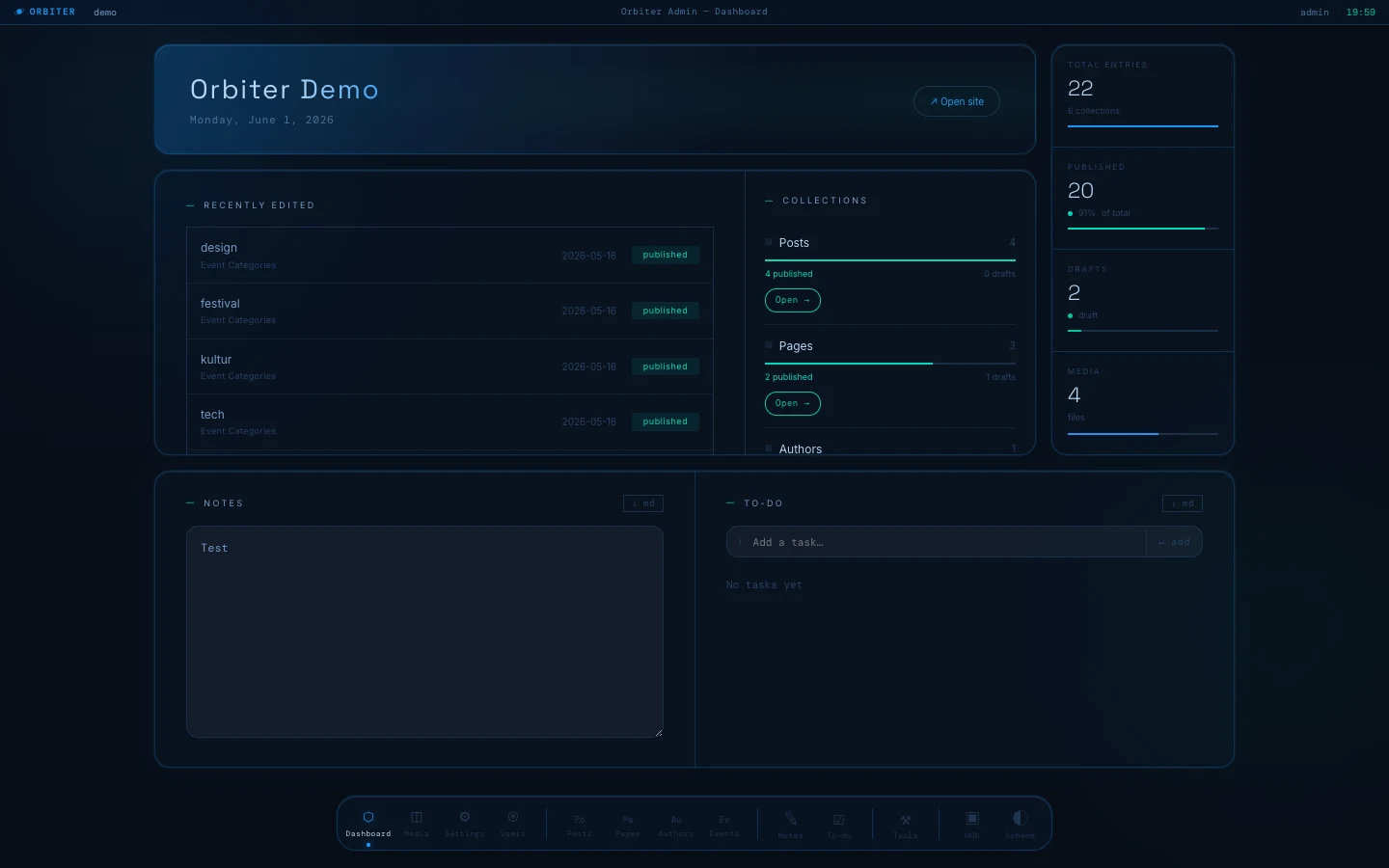
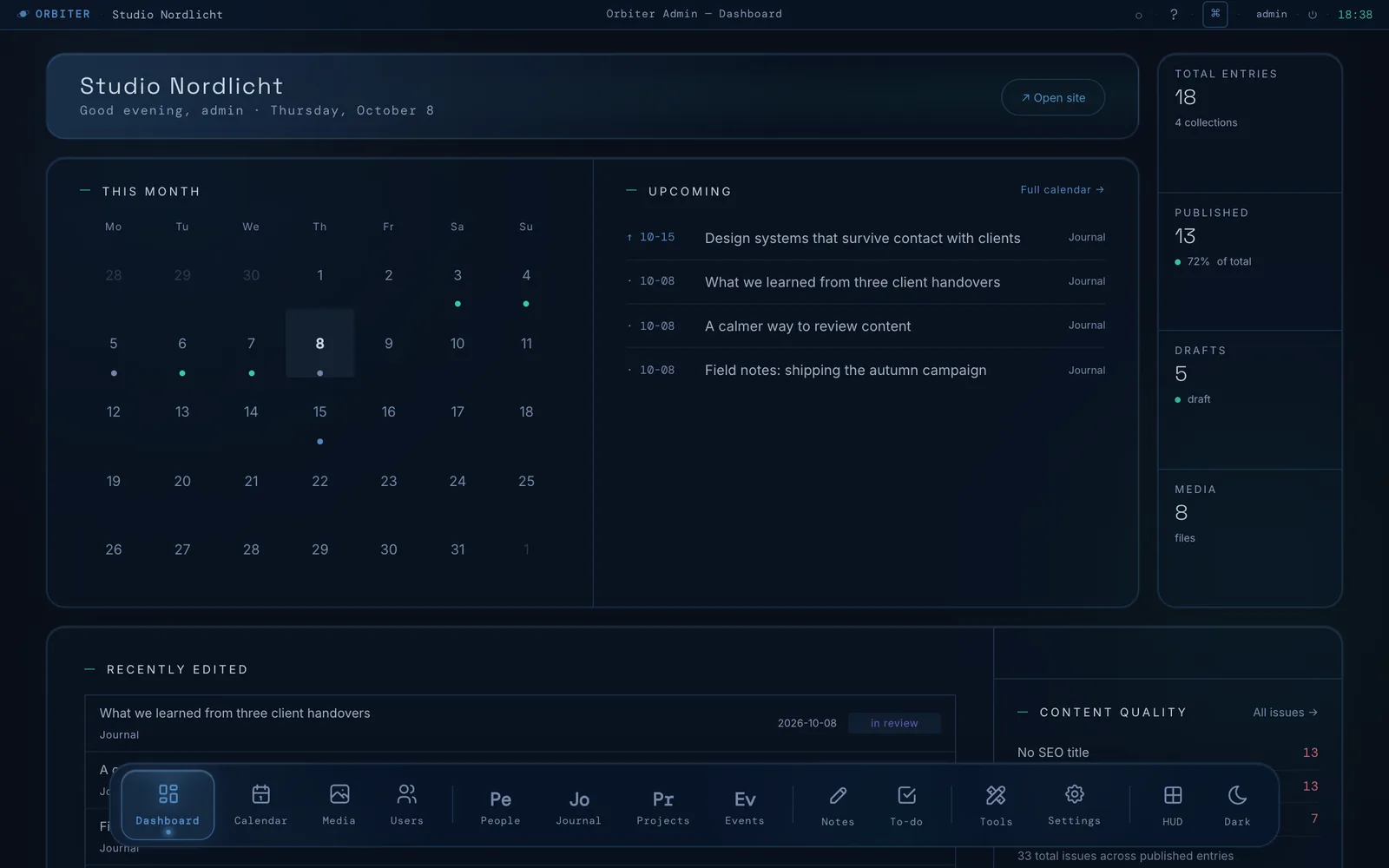
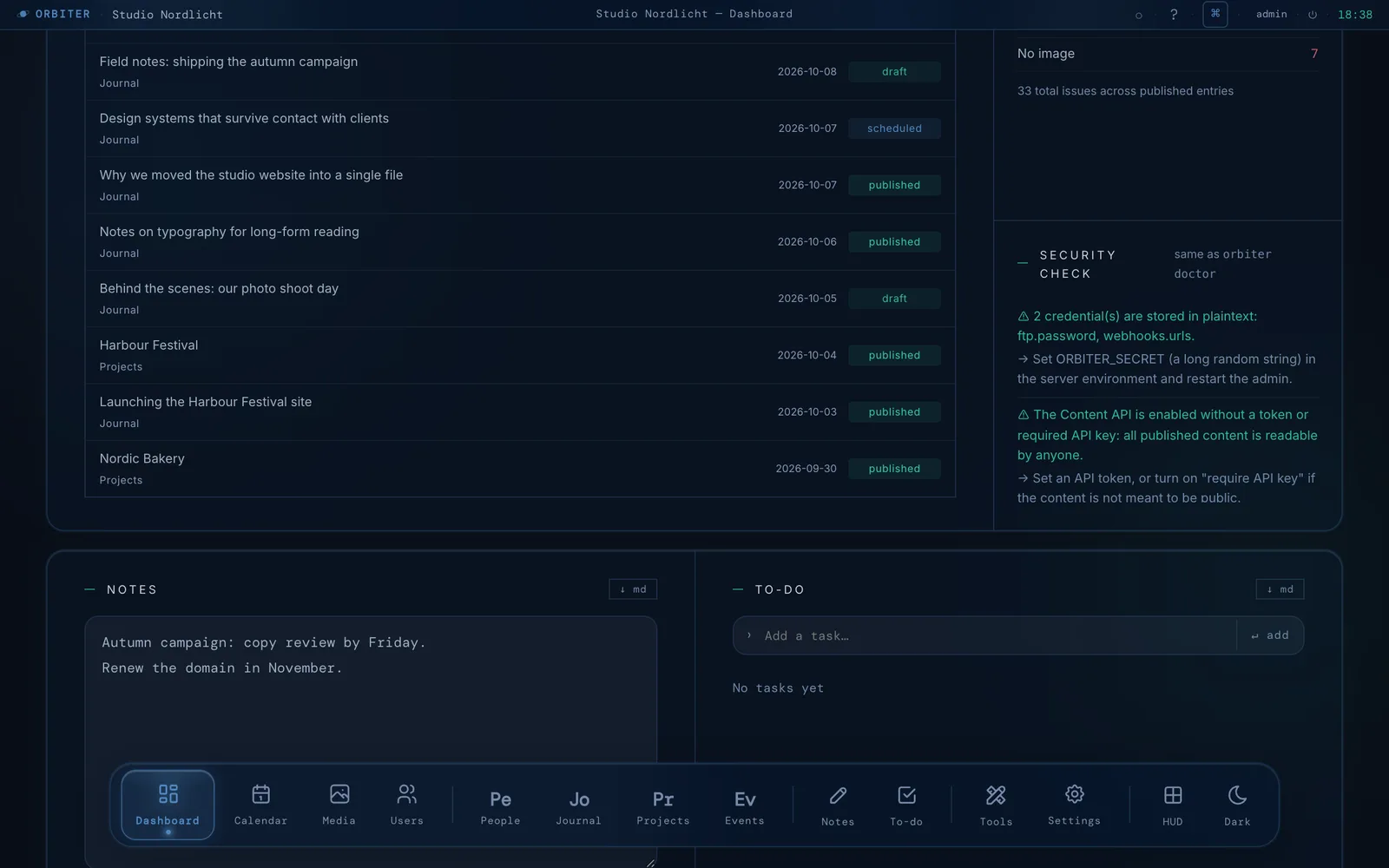
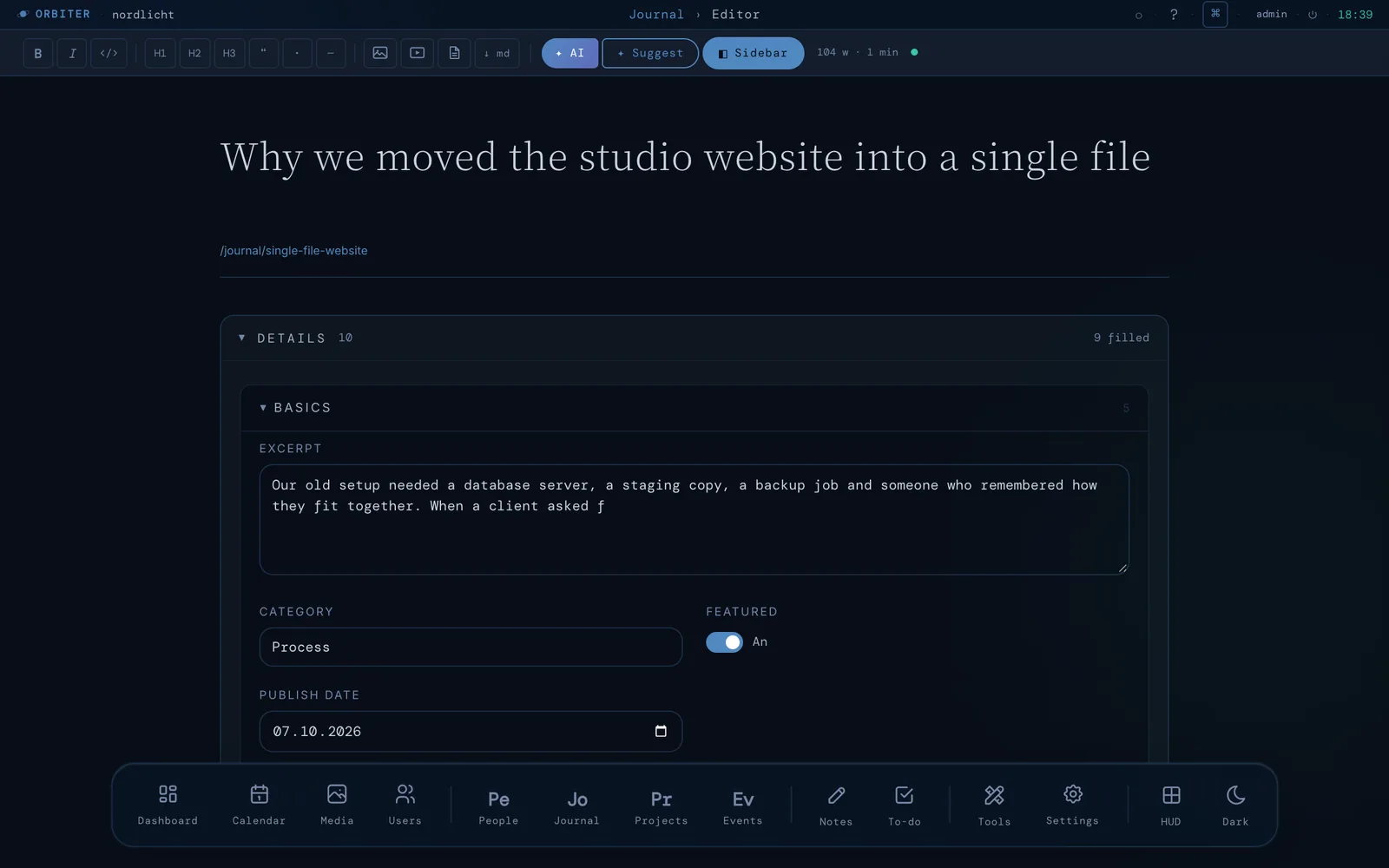
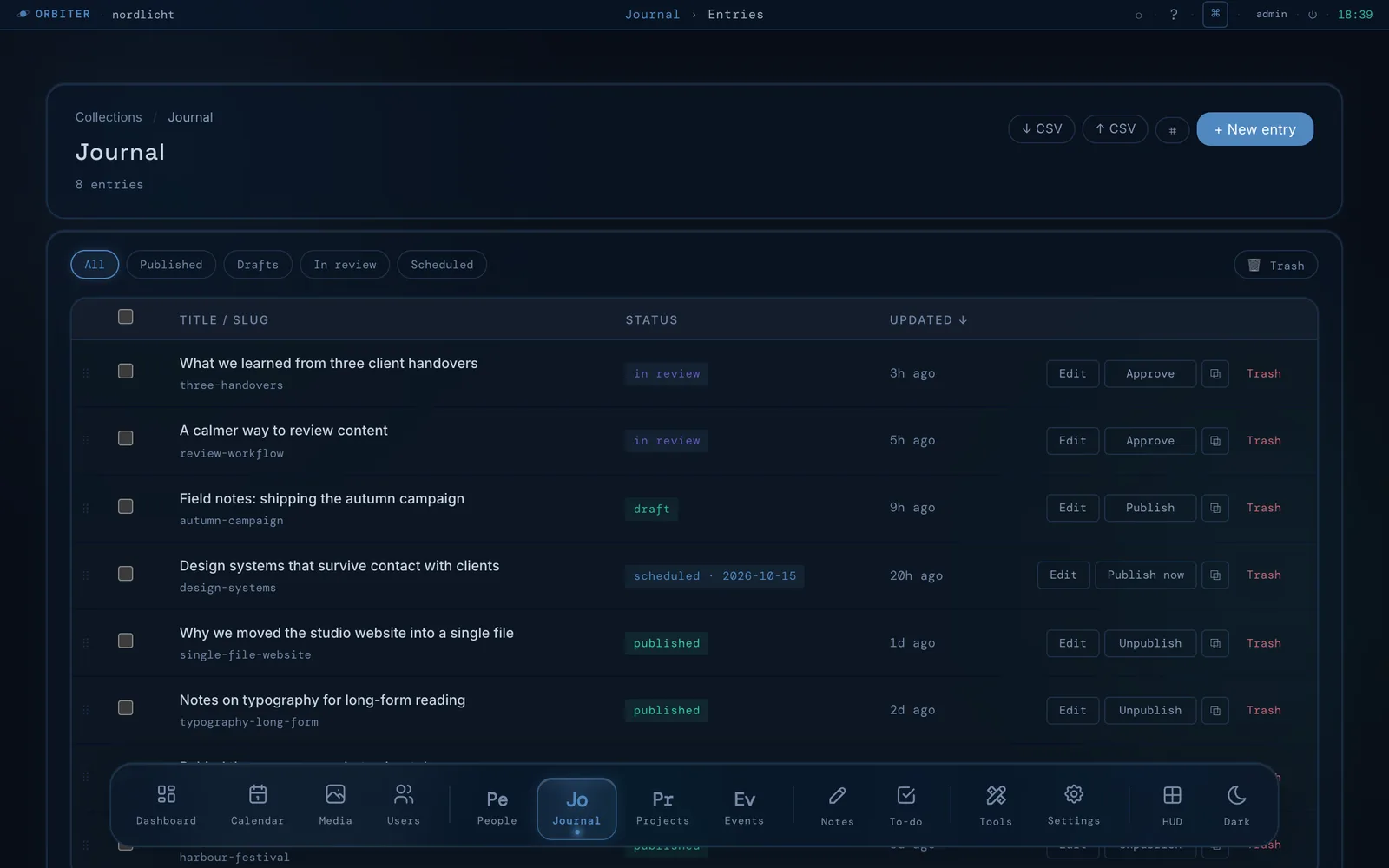
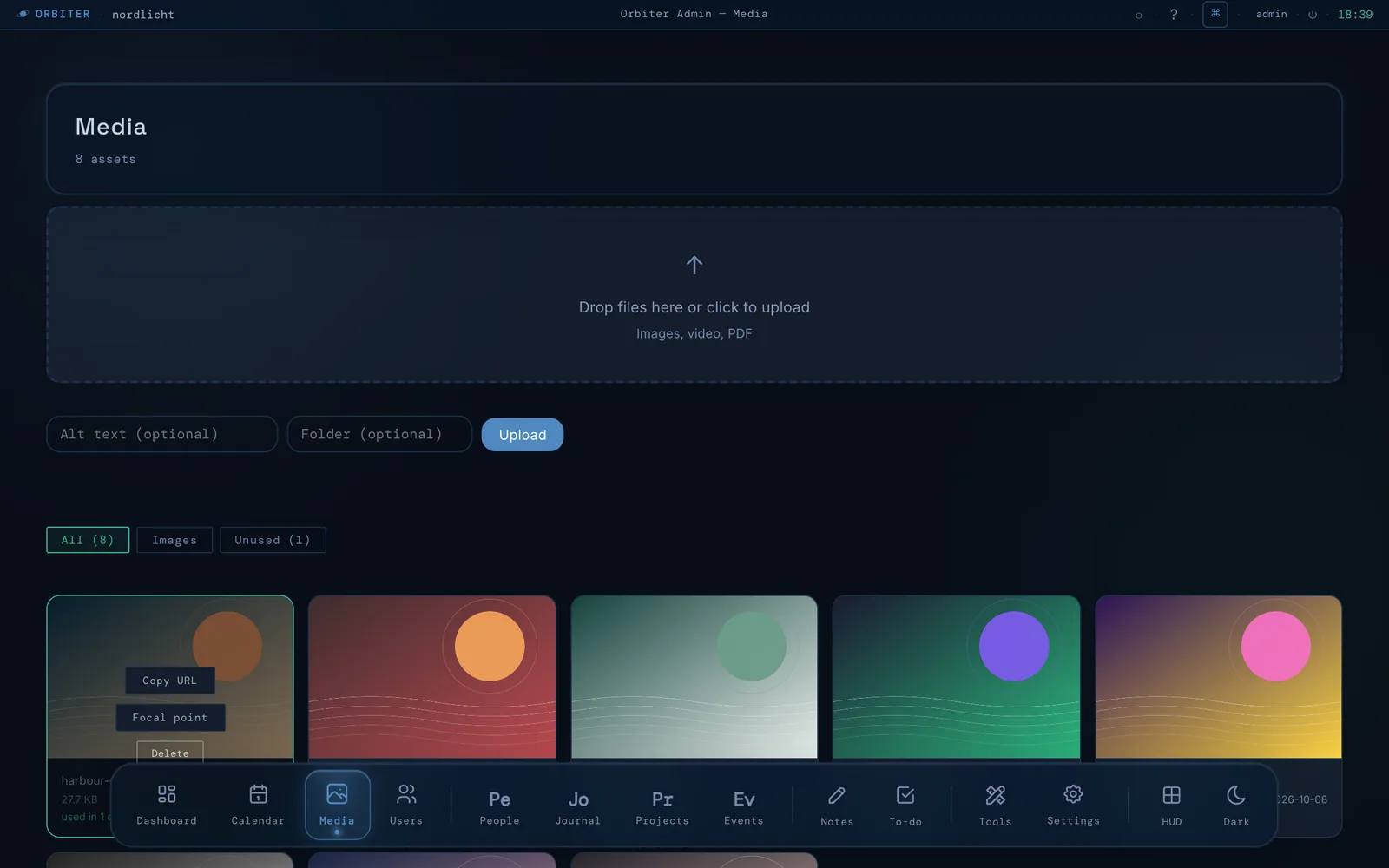
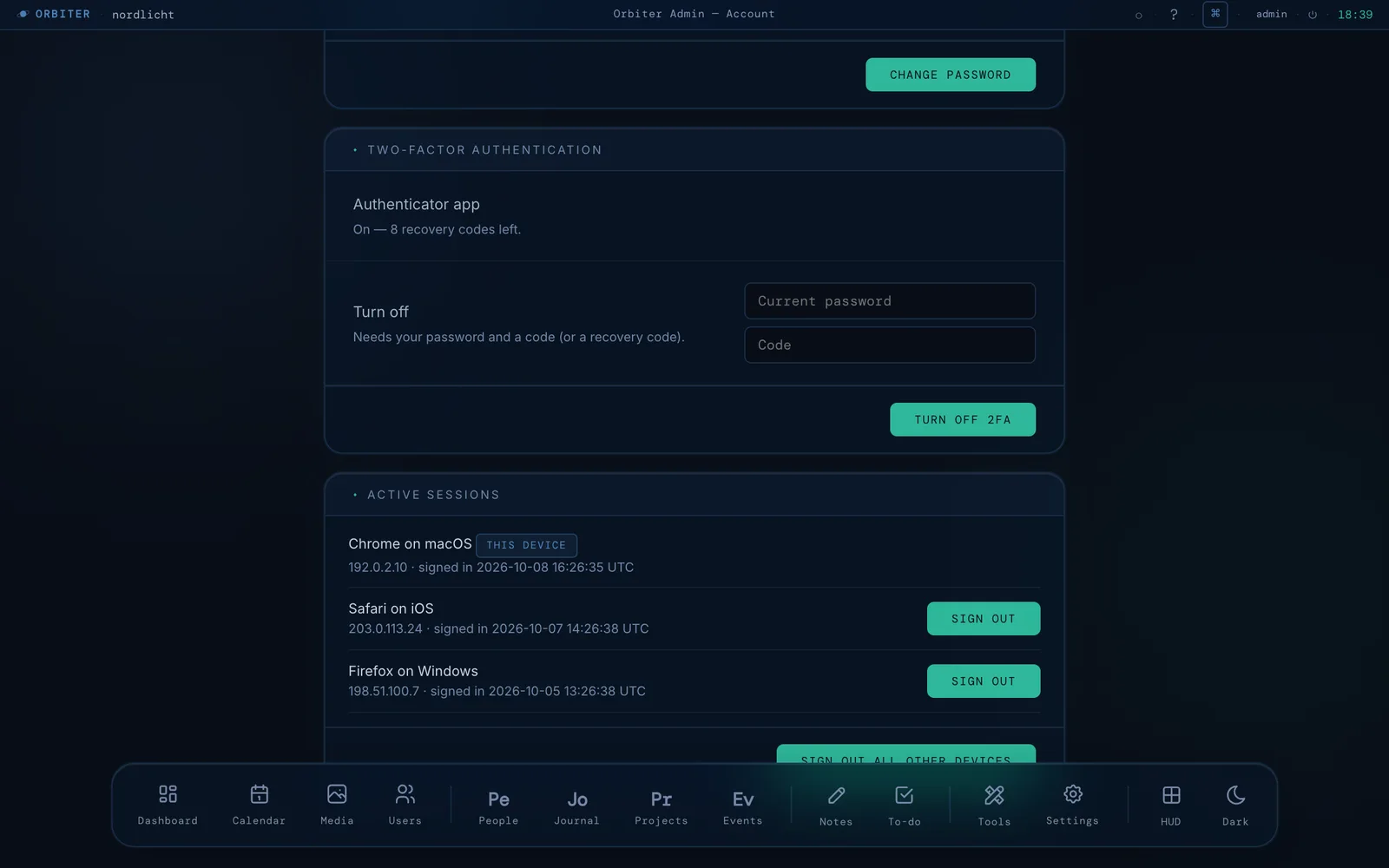
Real screens from a real pod — Space Station mode, dark. Hover the glowing outlines, or use ← →.
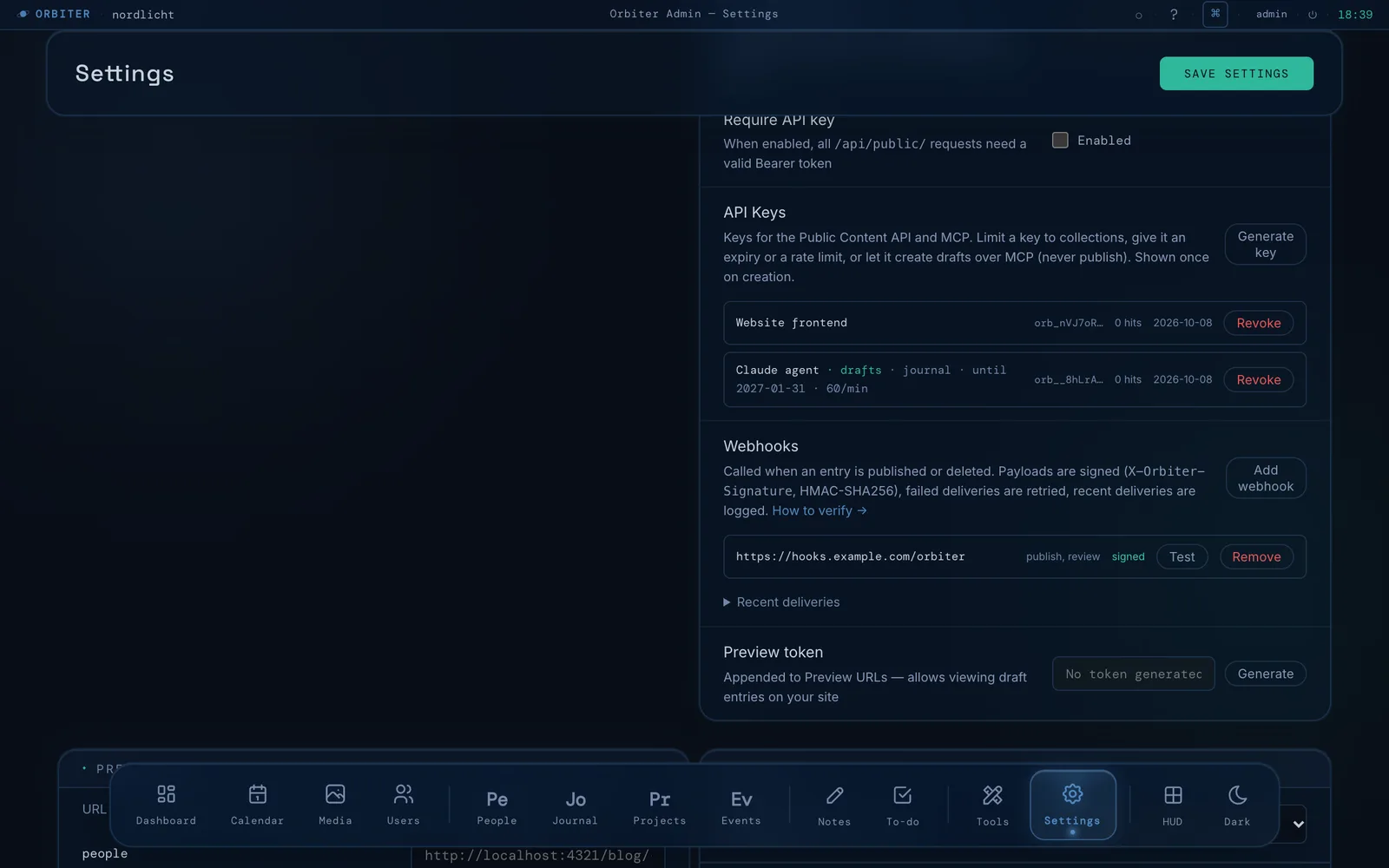
More screens & editor details
More screens
A full CMS admin — standalone server on port 4322, glassmorphism UI, three themes.
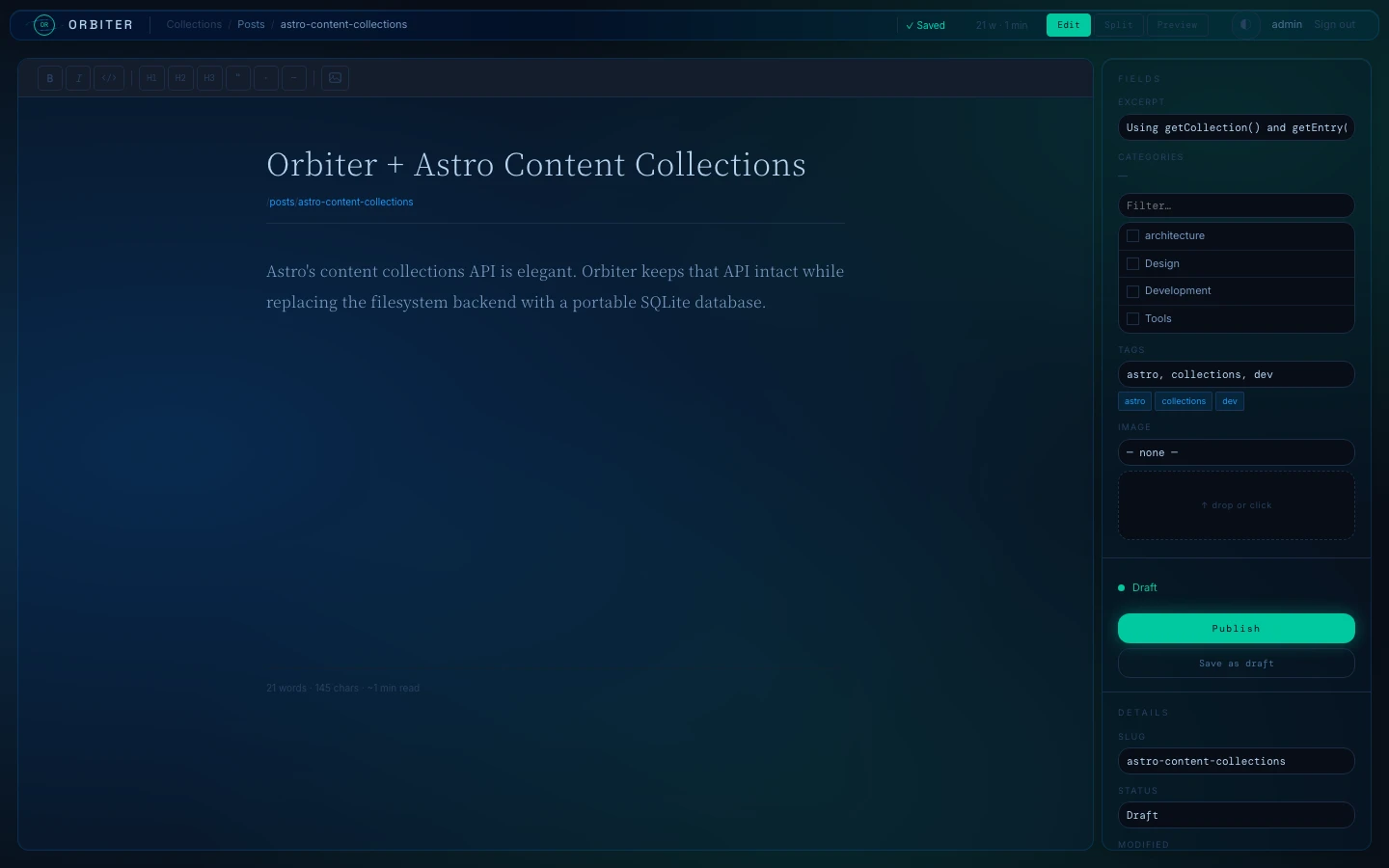
Write. Insert. Arrange.
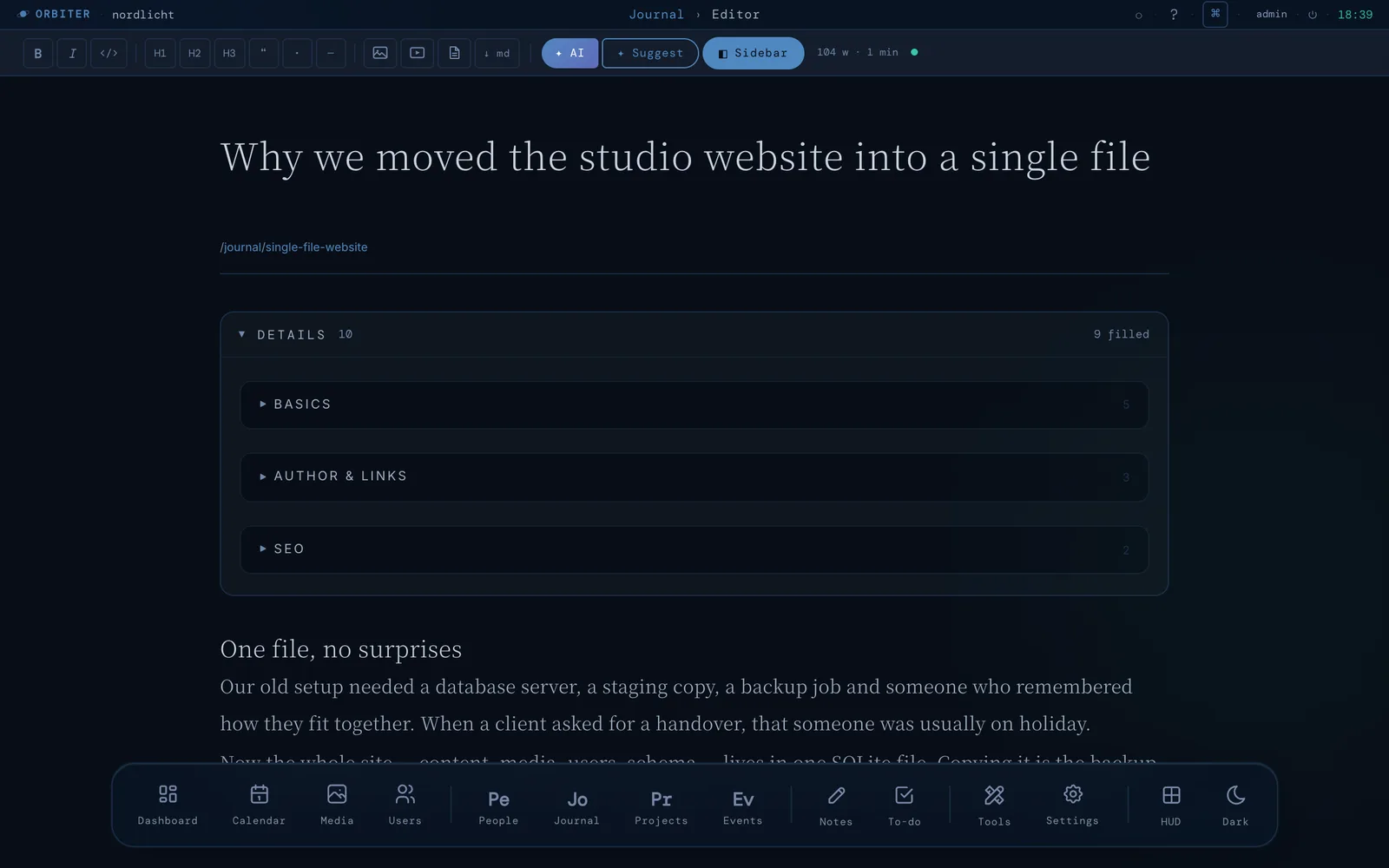
A block-based editor built for real content — rich text, inline images, and layout controls without leaving the page.
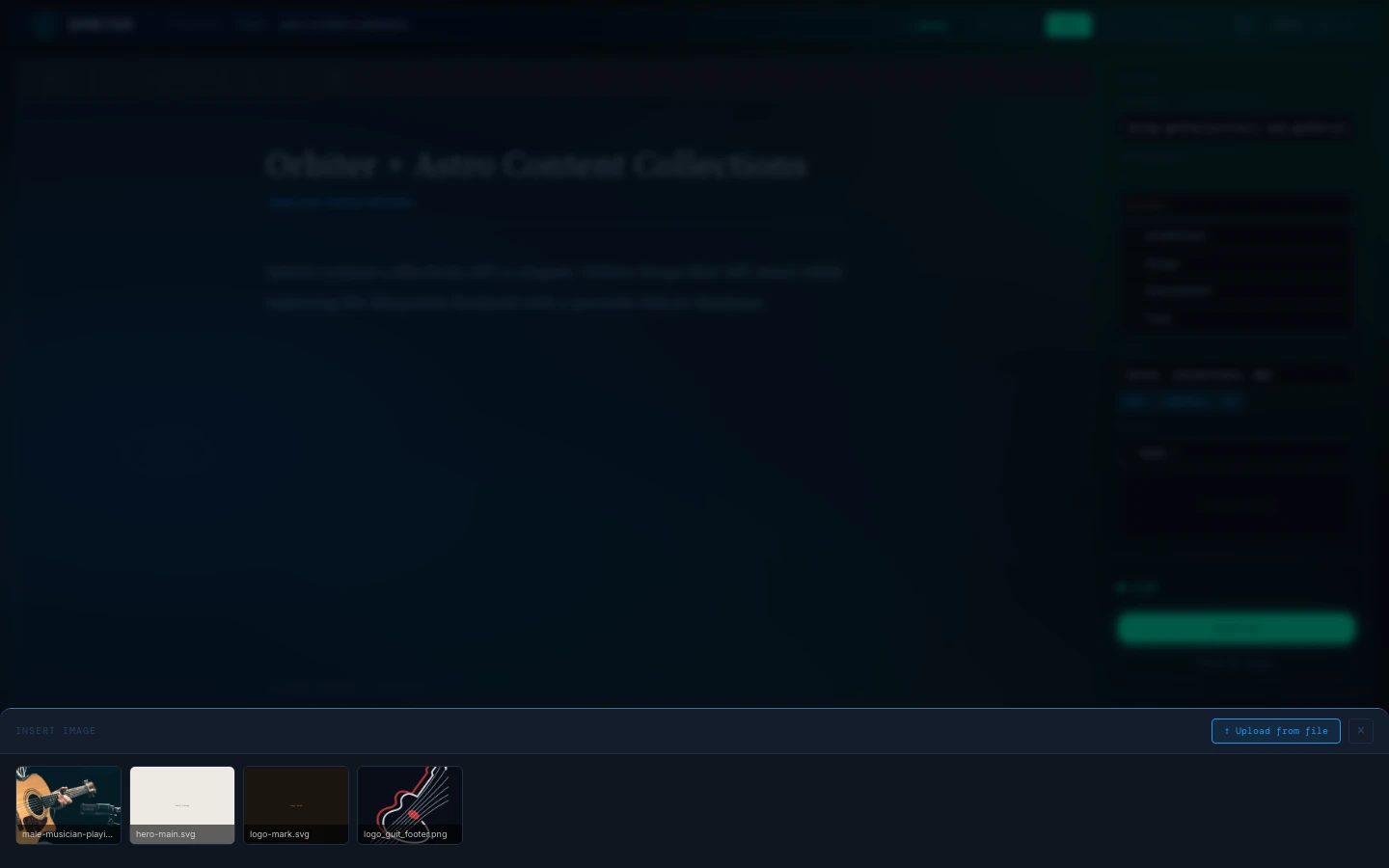
Pick from your media library or upload directly — the native file picker gives you access to iCloud Drive, Dropbox, Google Drive, and any connected cloud folder, no integration needed.
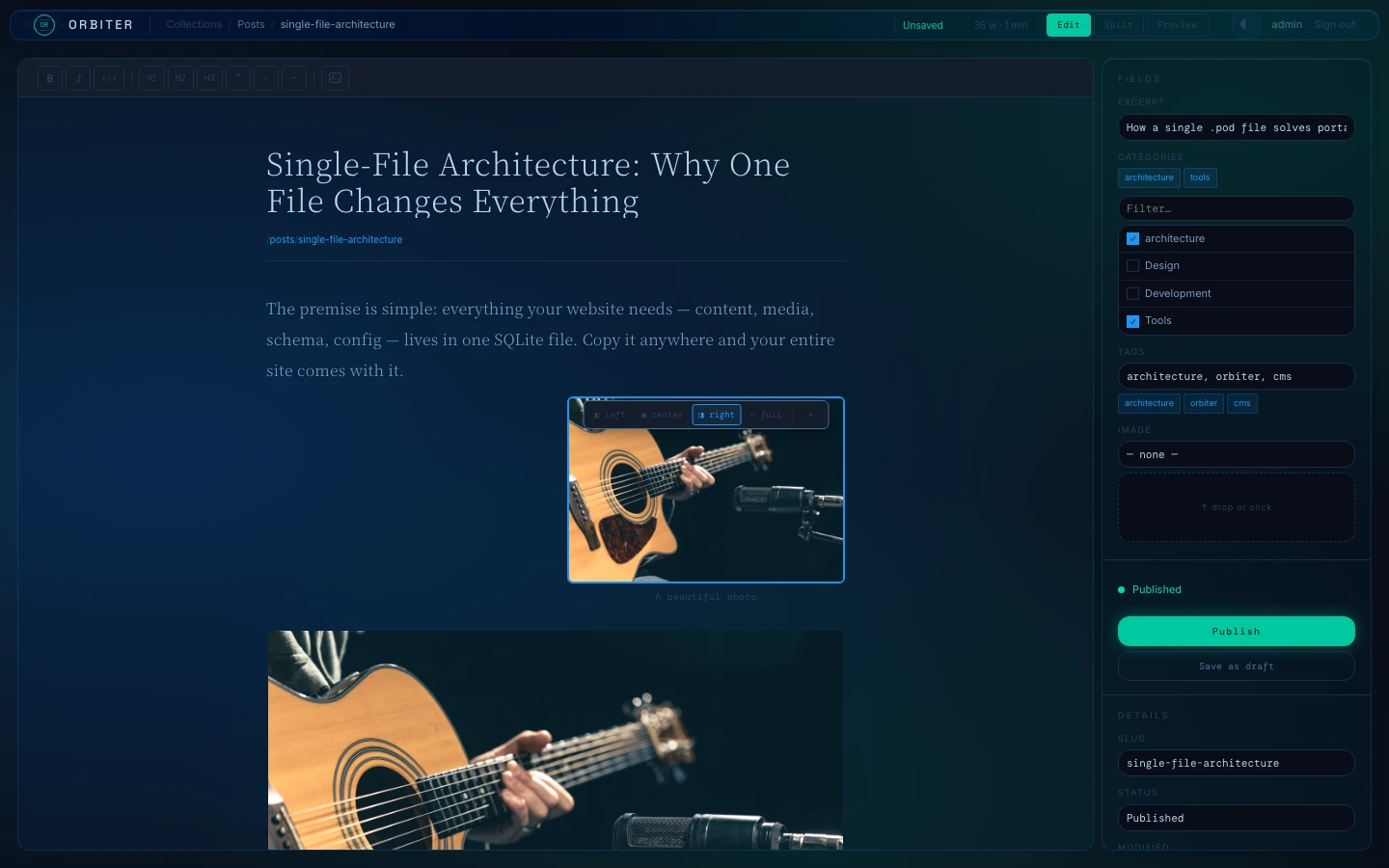
Float images left or right so text wraps around them naturally — or center them, or stretch full-width. One click, instant preview in split view. Serialized as standard markdown.
What's included
A full CMS admin — standalone on port 4322. The Astro integration handles content at build time via orbiter:collections.
.pod extension). Copy it anywhere. Back it up with cp.astro.config.mjs gives you orbiter:collections — a Vite virtual module that snapshots your published content at build time. Zero runtime fetch.getCollection and getEntry — same shape as Astro's built-in content collections.orbiterLoader() plugs directly into Astro's Content Layer API. Use astro:content with auto-generated Zod schemas, incremental builds, and hot reload when the pod changes.GET /orbiter/api/[collection] — optional Bearer token. Plus auto-generated RSS 2.0 feeds and an XML sitemap. All injected, no config.Show all 26 features
orbiter unpack extracts media BLOBs to files, orbiter pack restores them. Commit your pod + media to Git — a GitHub Actions template is included for automatic rebuilds.publish_at date on any entry. The server auto-publishes and fires the build webhook at the right time. Set unpublish_at to expire content.⌘K fuzzy search across all content and navigation. Installable as a PWA on mobile and desktop.getLocaleCollection() and getLocaleEntry() with automatic fallback.⌘K), vim keyboard navigation, HUD panel, notification center, zen mode, and a full mobile tab-bar. Three themes × two colour schemes.getPreviewEntry() reads any draft directly from the pod, bypassing the published snapshot.POST /api/form/:formId. View, filter, reply by email, and mark as confirmed, rejected, or done — all from the admin UI.entry.seo.title, entry.seo.description, and entry.seo.ogImage.dist/ directly to any shared hosting via FTP or FTPS. Configure host, port, credentials, and remote path in Settings. One click to deploy — or trigger automatically after a build webhook.<head>, image rendering, getCollection, ticket buttons, RSS, and sitemap — dynamically adapted to your collection names.orbiter init scaffolds a new project with starter templates. orbiter status shows pod health. orbiter sync pushes/pulls via rsync. orbiter encrypt/decrypt wraps the pod in AES-256-GCM for git-safe storage.Your data.
No strings attached.
Every other CMS gives your content to a cloud. Orbiter gives it to you. A single POD — one SQLite file on your disk, in your repo, on your server. Copy it, encrypt it, email it. No account required. No monthly invoice. No vendor who can change pricing, shut down, or hold your data hostage.
cp content.pod backup.pod — that's your entire CMS. A 500-entry blog with images typically weighs under 50 MB.npm run dev on your laptop with no internet. Edit content on a plane. No API calls, no auth endpoints, no CDN.$ sqlite3 content.pod# list all tables
sqlite> .tables
_collections _entries _media _users _versions# inspect recent entries
sqlite> SELECT slug, status, updated_at
FROM _entries ORDER BY updated_at DESC LIMIT 4;
my-first-post published 2025-04-20
about-orbiter published 2025-04-19
new-draft draft 2025-04-18
hello-world published 2025-04-15# how many media files?
sqlite> SELECT COUNT(*) || ' files, ' ||
ROUND(SUM(LENGTH(data))/1048576.0, 1) || ' MB'
FROM _media;
47 files, 18.3 MB# version history — every save is a snapshot
sqlite> SELECT COUNT(*) FROM _versions;
312
Honest tradeoffs
Orbiter is the right tool for small teams and content sites. Here's where it isn't.
Space Station mode.
A distinct layout for the admin — dark glassmorphism, floating magnification dock, command palette, vim keyboard navigation, notification center, HUD panel, zen mode, and a full mobile tab-bar. Switch in one click from Settings.
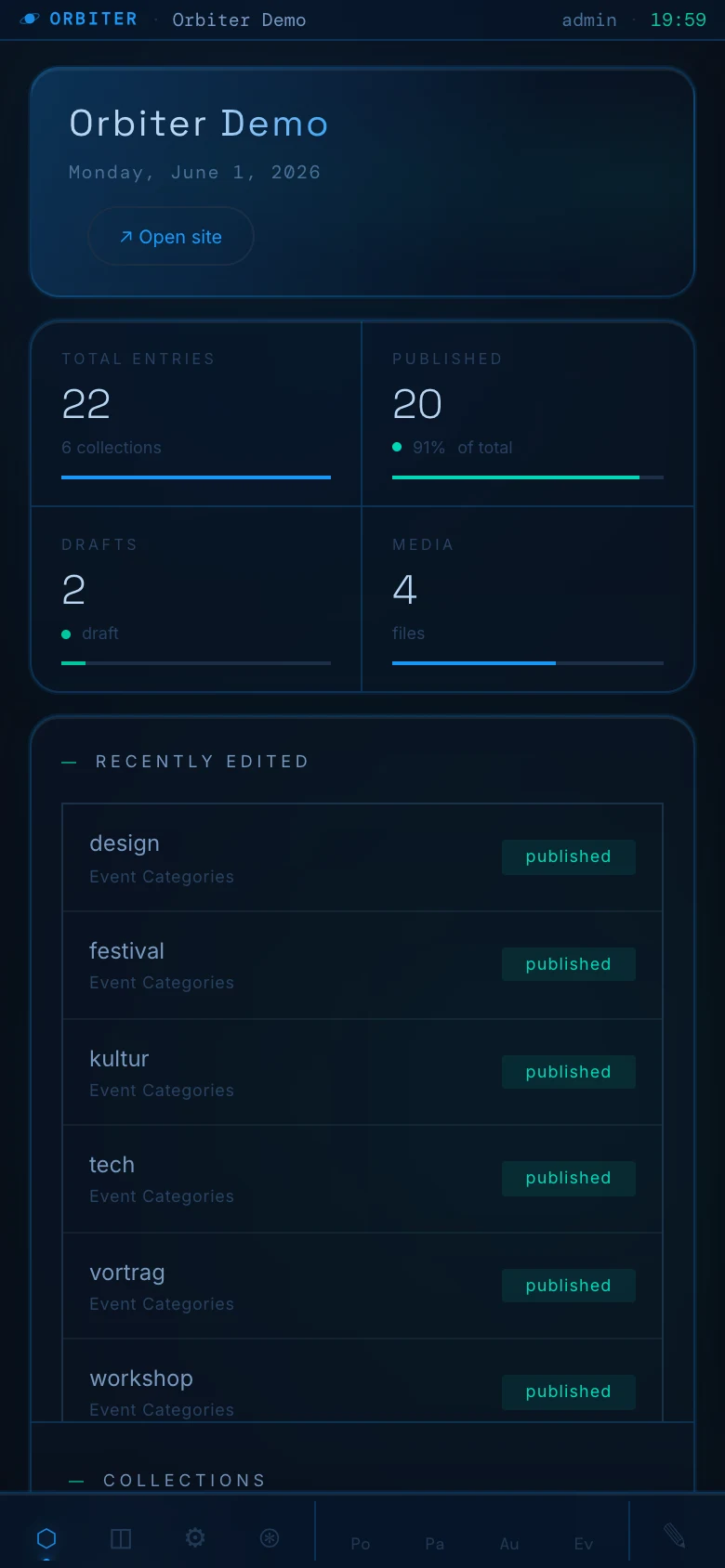
The dock becomes a native-feeling bottom tab bar. Stats stack to a 2×2 grid. Cards resize to fit. Same content, any screen.
Scaffold a full project with AI.
One prompt. A complete Astro blog with Orbiter CMS — collections, example content, all pages, and a working admin — built by your AI assistant from scratch.
How Orbiter compares
Other CMS options for Astro — and where Orbiter fits in.
Show the comparison table
| 🪐 Orbiter | Decap CMS | Keystatic | Tina CMS | Payload CMS | |
|---|---|---|---|---|---|
| Storage | SQLite file | Git | Git / files | Git + cloud | Postgres / MongoDB |
| External service | ✓ None | GitHub OAuth required | GitHub / local | Tina Cloud (free tier) | ✓ None |
| Setup | npm install + 3 lines | YAML config file | Config file | Config + dashboard | Full backend setup |
| Astro support | ✓ Native | ~ Plugin | ✓ Native | ~ Plugin | Manual |
| Media storage | In pod (BLOBs) | External CDN | External CDN | External CDN | DB / S3 |
| Version history | ✓ Built-in | Git history | Git history | Git history | Custom / code |
| Schema editor UI | ✓ Yes | YAML only | Config only | Config only | Code only |
| Offline admin | ✓ Yes | No | ~ Local only | No | ✓ Yes |
| Backup | cp content.pod | git push | git push | Tina Cloud + git | DB dump |
| Serverless deploy | ✓ Git sync mode | ✓ Git-native | ✓ Git-native | ✓ Git-native | DB required |
| License | MIT free | MIT free | MIT free | MIT + paid tiers | MIT free |
| Multilingual (i18n) | ✓ Locale column | No | ~ Manual | No | ✓ Built-in |
| Scheduled publishing | ✓ Built-in | No | No | No | ~ Plugin |
Pricing
Orbiter is open source under the MIT License — free for personal and commercial use, forever. If it saves you time, consider supporting its development.
- Full source code on GitHub
- Commercial use allowed
- Modify and distribute freely
- No attribution required
- Self-hosted — your data, your server
- All features included, no paywalls
- Community support via GitHub Issues
Orbiter is free and stays free. If it saves you time or earns you money, consider supporting ongoing development — new features, bug fixes, and long-term maintenance.
- Same MIT License (still free)
- Help fund active development
- Prioritized GitHub issue responses
- Mention in README supporters list
- Via Polar — any amount appreciated
Frequently asked questions
Everything you need to know before getting started.
.pod extension. It contains all your content, media, users, and settings in one file. You can open it with any SQLite tool (TablePlus, DB Browser for SQLite, DBeaver) and inspect or query your content directly.cp content.pod backup.pod. That's it. Every entry, every media file, every schema definition, every user account — in one file. Schedule a cron job, sync to S3, commit it to git. Standard file tooling works.GET /orbiter/api/[collection] returns all published entries as JSON. Supports optional Bearer token authentication. Works from any frontend, mobile app, or external service without extra setup.@a83/orbiter-mcp is an MCP (Model Context Protocol) server exposing list_collections, get_entries, get_entry, and search_content tools. Run it via stdio for local tools like Claude Desktop, or --http for remote access, using the same API-key and collection-scoping rules as the Public Content API.orbiter:collections at build time. The admin runs as a separate server (@a83/orbiter-admin) independently of your Astro output mode.content.pod with any SQLite GUI — TablePlus, DB Browser for SQLite, DBeaver, or the sqlite3 CLI. Tables are _collections, _entries, _media, _users, _sessions, and _versions.What's new
The latest releases. Full changelog → Subscribe: Atom · JSON Feed
2026
- 2FA (TOTP) — turn it on under Account with any authenticator app. Eight one-time recovery codes, codes can't be replayed, and an admin can reset a locked-out user. Docs →
- Active sessions — see every signed-in device (browser, IP, time) and sign out one or all others.
- API key limits — restrict a key to collections, give it an expiry date or a requests-per-minute limit. Applies to the REST API and MCP. A new dialog replaces the prompt chain.
- Editor layout — custom fields now live in a collapsible “Details” card in the main column (grouped, two per row, long inputs full width; remembers open/closed per collection) instead of small boxes in the sidebar, so the body stays the main content. Collections without a body field drop the block-editing tools. Also fixed: validation errors on publish were never shown, the long dock popups in Station mode (many collections / tools) now scroll instead of running off the screen, and the Schema page can be scrolled in Station mode again.
- Webhook recipes — tested receiver plus copy-paste handlers: Slack/Telegram on review, IndexNow, Cloudflare purge, Mastodon. Docs →
- AI translation of missing locales — one click in the editor creates the missing language versions as drafts (never overwrites, never publishes). Docs →
- Image variants + focal point —
/orbiter/media/<id>?w=800&fmt=webp&ar=16:9serves a resized, re-encoded or cropped version; crops keep the focal point you set in the media library. Bounded and cached. Docs → - Review workflow — optional. Editors submit entries for review; admins and the new reviewer role approve or request changes. Enforced on every publishing route. Docs →
- Preview links — the editor's Preview button now uses a one-hour token bound to that entry instead of the master preview token (which also fixes previews for editors, who only got a masked token before).
- Version diff — see field by field what a restore would change. Restoring now keeps the content it replaces, so a restore can be undone (previously the replaced content was lost, and the newest snapshot couldn't be restored at all).
- Media usage — each file shows where it is used; filter Unused files and Broken refs; deleting a file that is in use warns first.
- Signed webhooks — HMAC-SHA256 signatures, retries (5 s, 30 s, 5 min) and a delivery log, managed in Settings. Webhook URLs are now admin-only (editors could previously set them). Docs →
2026
orbiter doctor+ dashboard card — flags a pod tracked by git, plaintext credentials, an open Content API and more, with the fix next to each finding. Docs →- Encrypted secrets — set
ORBITER_SECRETand stored FTP/SMTP/AI/GitHub/S3 credentials are encrypted at rest (AES-256-GCM). Opt-in; nothing changes without it. - Draft-only keys for agents — an API key can be allowed to create and edit drafts over MCP. It can never publish or touch live entries.
- Terminal theme — a fourth palette: amber phosphor on near-black, with a warm paper light variant.
- Admin polish — Settings style cards show their active state, the style default matches the app, leaving the XFCE dock reloads cleanly, visible keyboard focus, and reduced-motion support.
2026
A second pass over the admin and core packages after the previous release. Update @a83/orbiter-admin, @a83/orbiter-core and @a83/orbiter-integration together — the new media headers live in core.
- GitHub push no longer ships secrets — the GitHub push feature committed the whole
.pod, including live session tokens, password hashes and stored credentials (FTP, SMTP, AI and GitHub tokens). It now pushes a scrubbed copy. If you pushed before, rotate those credentials and check your repo history. - Uploaded files can't run script — media is served with
nosniffand a sandboxing CSP, and anything that isn't an image, video, audio or PDF is forced to download. Applies to the admin and the public/orbiter/mediaroute. - Server-side request forgery — importing or linking media by URL could be pointed at internal addresses (localhost, private networks, cloud metadata). Private and reserved targets are now blocked, redirects re-checked, downloads capped at 50 MB. Set
ORBITER_ALLOW_PRIVATE_FETCH=1if you need to import from your LAN in development. - Login rate limit — it trusted a client-supplied
X-Forwarded-Forheader, so it could be bypassed. The header is now only honoured when the connection comes from a reverse proxy on a private address. - Restricted editors — AI suggestions, the collection list/detail,
/api/infoand the quality report no longer expose collections an editor isn't allowed to see. Form-builder configs are admin-only. - Content API drafts — with the API enabled but no token set,
?status=drafton/orbiter/api/[collection]returned unpublished entries to anyone. Drafts now require a configured, matching token. - API token hashed — the optional single
api.tokenis now stored as a SHA-256 hash like API keys (existing plaintext values keep working and migrate on first use). - Desktop app — the embedded server only listens on loopback (it was reachable from your LAN), the window is sandboxed, only http(s) links are handed to the OS, and navigation away from the local admin is blocked.
- Smaller fixes — CSV export works again and neutralises spreadsheet formulas, the login no longer reveals which usernames exist through timing, WordPress media import is covered by the same SSRF protection, and
/healthno longer exposes the pod path. - Sessions and public endpoints — changing a password signs out all other sessions. The public form and analytics endpoints are rate-limited and size-capped, and notification mails are capped. The Content API token is compared in constant time.
Up and running in under 2 minutes.
One command scaffolds a new project with demo content — admin at localhost:4322, login with admin / admin.
npx @a83/orbiter-cli init my-sitegit clone https://github.com/aeon022/orbiter.git
cd orbiter && npm install && npm run seed
ORBITER_POD=$(pwd)/apps/demo/demo.pod npm run dev --workspace=packages/adminaeon022/orbiter. Config is included.
Advanced Web Architecture & Digital Systems Engineering — Less Noise. Nice Data. No Bloat.
abteilung83.at →One content source.
Two audiences.
The web is splitting — humans read stories, AI agents read structure. Orbiter is building for both with Dual Render: one POD, one build, two layers. Content for people and machines from a single source.